Animate a Scene
Update retained scene state over time without rebuilding the scene.
At a glance
Status: Supported timer and track workflows; compute animation is experimental Languages: Python exact binding for tracks, C for timers and tracks Prerequisites: A prepared retained scene; a deterministic time source for reproducible output Result: Later frames update visual attributes, object transforms, or camera state
Use this when
- Visual attributes change every frame, such as positions, colors, sizes, or visibility.
- A visual or camera should follow a repeatable transform path.
- You need bounded, deterministic frames for screenshots, smoke tests, or video export.
Keep the scene hierarchy stable. Create figures, panels, visuals, buffers, and controllers once; then update only the state that changes.
Choose a mechanism
| Goal | Use | Canonical example |
|---|---|---|
| CPU-updated visual attributes | Per-frame update or dvz_anim_timer() |
Timer Animation |
| Repeatable visual transform | Track plus dvz_anim_visual_transform() |
Animation Tracks |
| Repeatable camera motion | Track plus dvz_anim_camera_motion() |
Animation Tracks |
| Video or deterministic capture | Bounded frame loop and capture path | Export videos |
On each frame, the scene clock supplies time to a timer or track. That mechanism changes retained scene state, and the renderer uses the updated state for the next frame.
Minimal retained update

For direct app code, a scene timer can update retained visual attributes from the scene clock. The
default timer mode runs on every scene frame. This function-body excerpt assumes valid scene,
visual, positions, and n state; its setup path returns false on failure.
static void
on_timer(DvzAnimation* animation, double t, double dt, uint64_t tick, void* user_data)
{
    (void)animation;
    (void)dt;
    (void)tick;

    DvzVisual* visual = user_data;
    update_positions(t, positions, n);
    if (dvz_visual_set_data(visual, "position", positions, n) != 0)
        return;
}

DvzAnimTimerDesc timer_desc = dvz_anim_timer_desc();
timer_desc.callback = on_timer;
timer_desc.user_data = visual;
DvzAnimation* timer = dvz_anim_timer(scene, &timer_desc);
if (timer == NULL || dvz_anim_start(timer, 0.0) != 0)
    return false;
Use DVZ_TIMER_INTERVAL for discrete events on a fixed cadence. The callback receives a stable
integer tick, so examples can avoid deriving boolean or stepped state from floating-point time.
DvzAnimTimerDesc timer_desc = dvz_anim_timer_desc();
timer_desc.mode = DVZ_TIMER_INTERVAL;
timer_desc.period_s = 0.5;
timer_desc.callback = on_timer;
timer_desc.user_data = state;
Use DVZ_TIMER_CATCH_UP when missed interval ticks must be emitted after a long frame. Set
max_catch_up to bound the number of callbacks emitted on one rendered frame.
Run the app normally after registering the animation. The canonical example uses the same retained update idea in native and browser routes.
Track-based motion
Use tracks when the motion is a reusable path rather than arbitrary per-frame data mutation. Tracks can drive visual-local transforms or camera state.
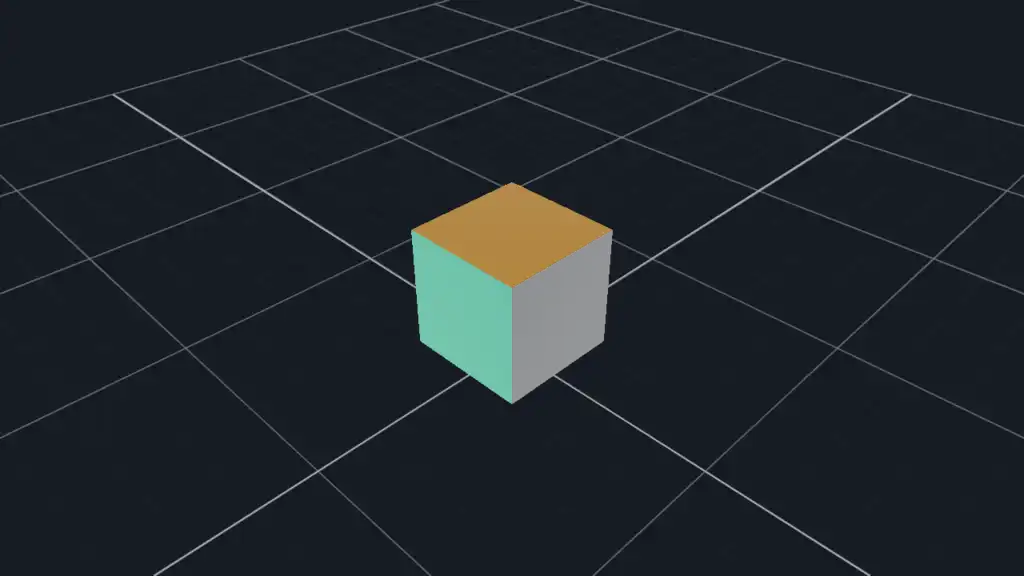
Prerequisite: create scene and an attached visual first. The result is a retained visual-local
rotation driven by the scene clock. These fragments omit app creation and cleanup; see the complete
Animation Tracks example.
import ctypes
import datoviz as dvz

rotation = dvz.dvz_track_rotation_desc()
rotation.axis[:] = (0.0, 1.0, 0.0)
rotation.speed_rad_per_sec = 1.0
track = dvz.dvz_track_rotation(ctypes.byref(rotation))
if not track:
    raise RuntimeError("track creation failed")

motion = dvz.dvz_transform_motion_desc()
motion.rotation = track
animation = dvz.dvz_anim_visual_transform(scene, visual, ctypes.byref(motion))
if not animation:
    raise RuntimeError("visual animation creation failed")
if dvz.dvz_anim_start(animation, 0.0) != 0:
    raise RuntimeError("dvz_anim_start() failed")
DvzTrackRotationDesc rotation = dvz_track_rotation_desc();
rotation.axis[1] = 1.0f;
rotation.speed_rad_per_sec = 1.0f;
DvzTrack* track = dvz_track_rotation(&rotation);
if (track == NULL)
    return false;

DvzTransformMotionDesc motion = dvz_transform_motion_desc();
motion.rotation = track;
DvzAnimation* anim = dvz_anim_visual_transform(scene, visual, &motion);
if (anim == NULL || dvz_anim_start(anim, 0.0) != 0)
    return false;
For camera paths, use dvz_anim_camera_motion() with eye, target, or up tracks. The animation
tracks example shows both a rotating visual and a keyframed camera.
Tracks are borrowed by their animations. Keep each DvzTrack alive until its animation is stopped
or destroyed; then destroy the track with dvz_track_destroy(). Scene-owned animation handles can
be stopped, restarted, or destroyed without rebuilding the scene.
Deterministic runs
Interactive animations normally run until the window closes:
dvz_app_run(app, 0);
For tests, screenshots, and videos, drive a bounded number of frames and derive animation state from frame time or frame index. Avoid wall-clock-only state when the output must be reproducible.
dvz_app_run(app, frame_count);
Browser support
The timer and track animation examples have live WebGPU routes in the current gallery. Native app callbacks and browser callbacks are not the same host API, so keep reusable animation logic in ordinary state-update functions and call those functions from the native timer, scenario frame callback, or browser host path.
Advanced compute animation
Use scene compute only when data should be written by a GPU compute pass and then consumed by rendering. This is not the default path for simple motion; most animations should update visual attributes or transforms.
The Compute Buffer Animation example is experimental because it exercises scene compute, storage buffers, and compute-to-render synchronization.
Canonical examples
- Timer Animation - retained point data
updated on frames. Source:
examples/c/features/timer_animation.c. - Animation Tracks - retained visual
transform and camera motion tracks. Source:
examples/c/features/animation_tracks.c. - Compute Buffer Animation -
experimental scene compute pass writing render-consumed data. Source:
examples/c/features/compute_buffer_animation.c.
Important details
- Prefer stable visual, panel, controller, and buffer objects.
- Update dense attributes with
dvz_visual_set_data_range()when only a subrange changes. - Use
dvz_visual_set_data_many()when several attributes must change together with the same item count. - Keep animation state owned by the scene, scenario, or app path that drives it; do not update the same arrays concurrently from another thread.
- Stop or destroy long-lived scene animations when the scene state they reference is no longer valid.
Common mistakes
- Recreating GPU objects every frame.
- Recreating visuals instead of updating attributes or transforms.
- Changing related attributes one at a time when their item counts must stay synchronized.
- Updating arrays from another thread without synchronizing with the render loop.
- Depending on wall-clock timing for screenshots, videos, or CI smokes.
- Assuming browser and native animation paths expose the same callbacks.
- Treating compute-buffer animation as the default path for simple CPU-driven motion.