Probe Image or Field Values
Read the field value under a cursor or selected coordinate.
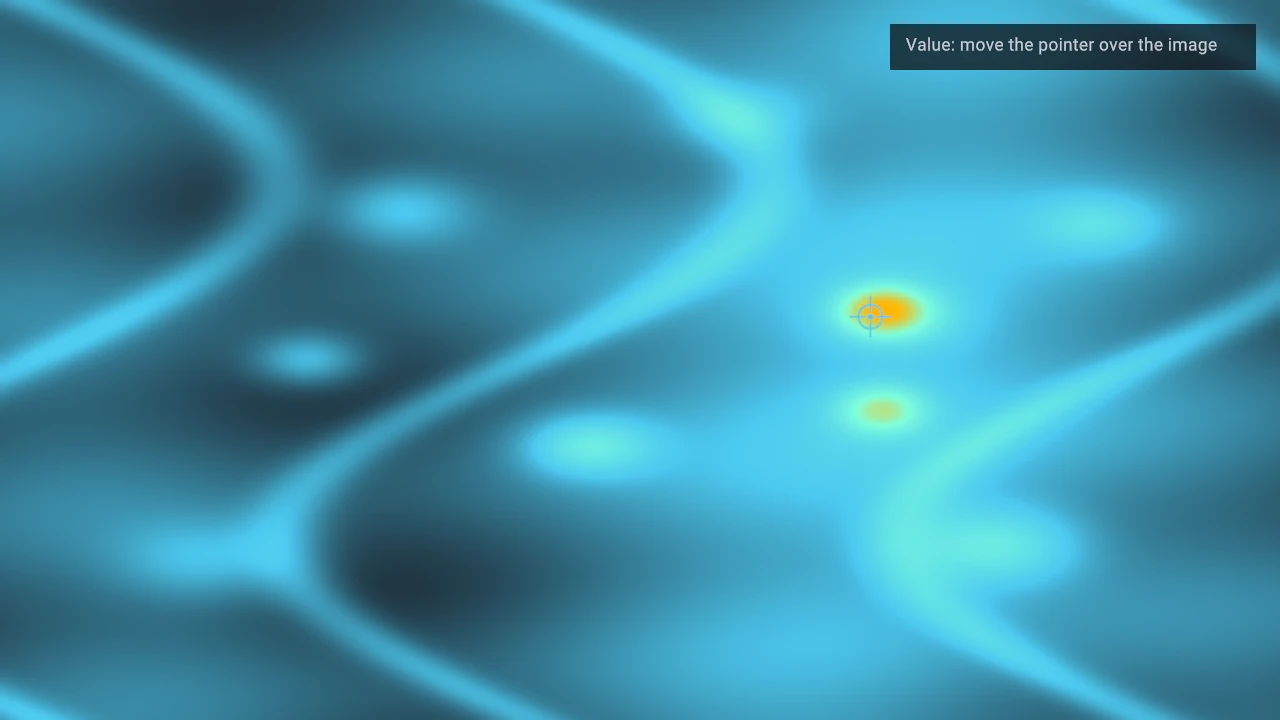
At a glance
- Status: Supported query/readout workflow; promoted image and label probes run in WebGPU.
- Languages: C-first; Python must explicitly manage query descriptors, pointers, and polling.
- Prerequisites: A rendered query-capable field visual plus a defined data-to-sample mapping.
- Result: A later query result identifies a rendered location that application code samples and formats.
Task workflow
Convert the pointer position to panel data coordinates, map that coordinate into the sampled field's index or texture coordinate space, then display the value with a label, annotation, or overlay.
Use probing for continuous image or field values. Use picking when the target is a rendered item id, instance id, or primitive id.
Minimal query path
- Enable pixel queries on the image visual.
- Queue a panel query at the latest outer-panel-local pointer position.
- Poll resolved query results after frames execute.
- Convert the returned panel position to the field's data or texture coordinate space.
- Sample the application-owned field value and update a retained label or readout visual.
The following C excerpt deliberately leaves sample_field_value() and update_probe_readout() to
the application because filtering, axis orientation, units, missing values, and formatting are part
of the scientific-data contract, not generic renderer policy.
// After creating the image visual.
dvz_visual_set_query_capabilities(image, DVZ_QUERY_CAPABILITY_PIXEL);

// Queue one probe request at an outer-panel-local logical pixel coordinate.
DvzQueryRequest request = dvz_query_request();
request.request_id = 1;
request.target = DVZ_SCENE_TARGET_PIXEL;
if (dvz_panel_query_px(panel, cursor_x, cursor_y, &request) != 0)
    return;

// Poll after frame execution. Live scenario examples do this from their post-frame callback.
DvzQueryResult query = {0};
while (dvz_scene_poll_query(scene, &query))
{
    if (query.request_id != 1 || query.status != DVZ_QUERY_STATUS_HIT || !query.hit)
        continue;

    double panel_position[2] = {query.panel_position[0], query.panel_position[1]};
    double data_position[2] = {0};
    if (!dvz_panel_position_to_data(
            panel, DVZ_PANEL_COORD_PANEL_PX, panel_position, data_position))
    {
        continue;
    }

    double data_x = data_position[0];
    double data_y = data_position[1];
    double value = sample_field_value(values, width, height, data_x, data_y);
    update_probe_readout(readout, data_x, data_y, value);
}
dvz_panel_query_px() validates the rendered hit and returns outer-panel-local coordinates. Convert
them to data coordinates with dvz_panel_position_to_data() before applying your application's
field indexing policy. The application still maps the data coordinate to a texel, interpolated
sample, or transformed mesh UV and reads the scalar value it owns. If you already have a data
coordinate, dvz_panel_query_data() queues the equivalent panel query directly.
The live scenario helper used by examples/c/features/image_probe.c queues the same request through
dvz_scenario_panel_query() so the example can run in native and browser scenario hosts. Plain C
applications should use dvz_panel_query_px() unless they are inside the scenario runner.
For an image with a colorbar and cursor readout, keep the sampled field, scalar normalization, colorbar range, and probe coordinate transform synchronized. A readout that samples a different array or normalization than the colorbar is worse than no readout.
Important details
Probing depends on the same coordinate transform used for rendering. Use
dvz_panel_transform_point() to move between figure pixels, panel pixels, plot pixels, data, and
view coordinates. If the image is scaled, translated, or texture-mapped onto a mesh, account for
that transform before indexing the field.
For an axis-aligned image in a normalized panel domain, the mapping can be direct: data coordinate
x=0.25, y=0.75 maps to the same normalized field coordinate before converting to integer texels or
performing interpolation. For a textured mesh, the query position must be mapped through the mesh
surface or application geometry to UV space before sampling the texture.
Decide whether the readout reports nearest-texel values or interpolated values. The visual may be filtered by the GPU; a CPU-side nearest lookup can disagree with what the user sees between texel centers.
Keep the sampled array alive according to your application model; Datoviz query results do not own
or copy that application data. Discard stale results by request_id when a newer pointer request
has superseded them.
When to use it
- Image or sampled-field cursor readouts.
- Linked panels that share one probe marker and one value display.
- Colorbar workflows where the displayed value must match the scalar normalization.
- Debugging field transforms by printing the resolved panel coordinate and sampled value.
Common mistakes
- Treating screen pixels as image indices after pan or zoom.
- Ignoring interpolation and sampling mode when reporting values.
- Turning a composed linked-probe showcase into copied starter code.
- Showing a colorbar with a range that differs from the field normalization.
Next steps
Complete and related examples
- Canonical complete example: Image Probe - Source:
examples/c/features/image_probe.c - Label Probe - Source:
examples/c/features/probe_labels.c - Linked Probe With Colorbar - Source:
examples/c/showcases/linked_probe_colorbar.c