Sphere
Analytic 3D sphere impostors with per-item center, radius, color, and optional lighting.
Status: supported.
Backends: native; WebGPU live (sphere, arcball).
Primitive: impostor quads with fragment-shader sphere reconstruction.
Preview And Links
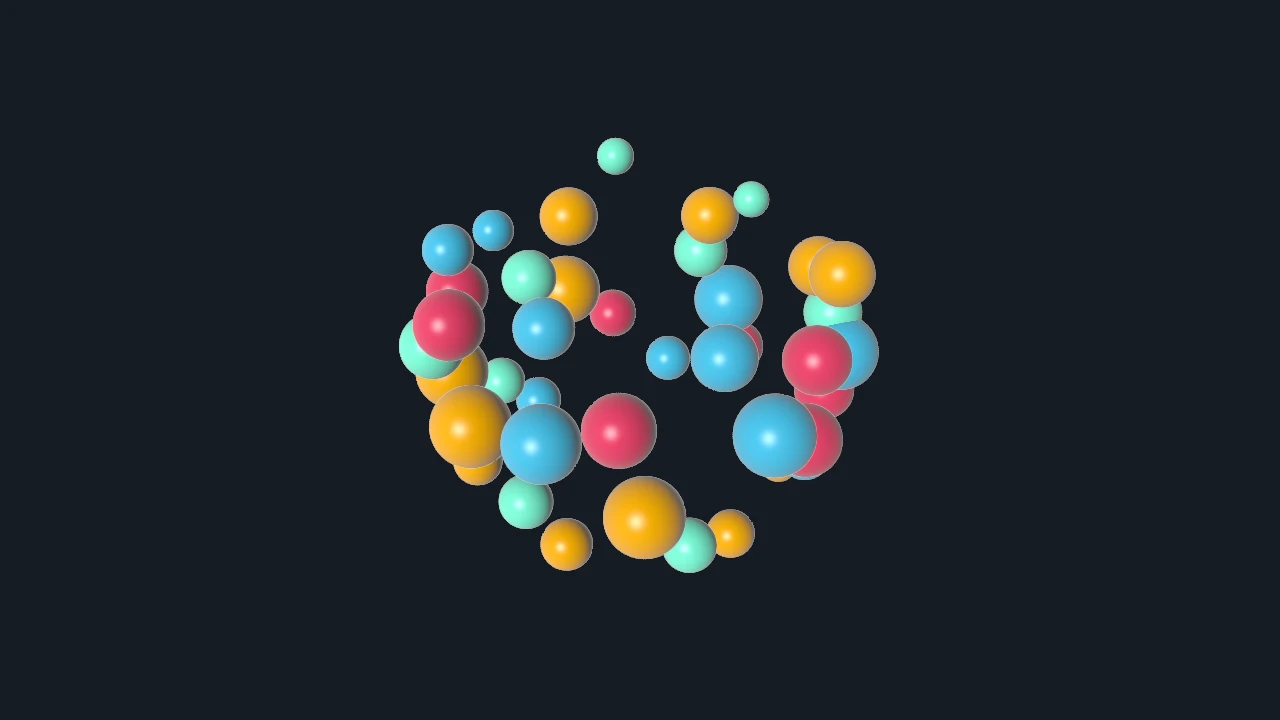
- Example: Sphere
- How-to: Use 3D controllers, use lighting and materials
- Related: Point, Mesh, Splat
Use When
Use sphere visuals for many true 3D balls where each item has a world-space radius and should sort or shade as a sphere rather than a flat screen-space mark.
Avoid When
Use Point for simple screen-sized circles, Mesh for arbitrary solid geometry, or Splat for translucent Gaussian footprints.
Item And Data Model
Create with dvz_sphere(scene, flags). One item is one analytic sphere. Upload N rows for the
three required attributes. Radius is authored geometry, unlike point/marker pixel diameters.
Attribute Contract
| Attribute | Requirement/default | C type and cardinality | Python dtype and shape | Units/coordinates and constraints | Update route |
|---|---|---|---|---|---|
position |
Required; no documented default | vec3[N] |
float32, (N, 3) |
Sphere center in authored visual/object coordinates. | Dense or range upload. |
color |
Required; no documented default | DvzColor[N] |
uint8, (N, 4) |
RGBA8. Scalar color is not supported. | Dense or range upload. |
radius |
Required; no documented default | float[N] |
float32, (N,) |
Radius in the same authored/object-space units as position; use finite nonnegative values. |
Dense or range upload. |
item_state |
Optional; absent means no per-item state payload | uint32_t[N] |
uint32, (N,) |
DvzItemStateKind bitfield for retained hover/selection styling. |
Usually interaction-managed; direct dense/range upload is supported. |
Color and radius support explicitly configured constant/per-group sources. Dense arrays do not broadcast.
Constructor And Options
- Constructor:
dvz_sphere(scene, flags); examples passflags = 0. - Default mode is
DVZ_SPHERE_MODE_FAST_IMPOSTOR.dvz_sphere_set_mode()also acceptsDVZ_SPHERE_MODE_RAYCAST_IMPOSTORfor more accurate surface position, normals, and depth. - Common options include material, depth cue, alpha mode, depth test, transform, and item-state styles.
Verified Usage Pattern
Upload center, color, and radius arrays together, optionally choose raycast mode/material, then attach the visual. See the complete C and Python example.
Picking And Probing
Picking and bounds are item-based. Raycast impostor mode writes sphere-surface depth for more accurate 3D interaction than flat point sprites.
Backend Notes
Native and WebGPU paths are active. The GLSL native backend reconstructs the surface in the fragment shader and uses analytic antialiasing at silhouettes.
Canonical Example
| Field | Value |
|---|---|
| Source | examples/c/visuals/sphere.c |
| Gallery | Sphere |
| Build | just example-c visuals/sphere |
| Smoke | ./build/examples/c/visuals/sphere --png |
| Validation | smoke+screenshot |
See Also
Choose a visual family, 3D navigation, lighting and materials, Point, Mesh.